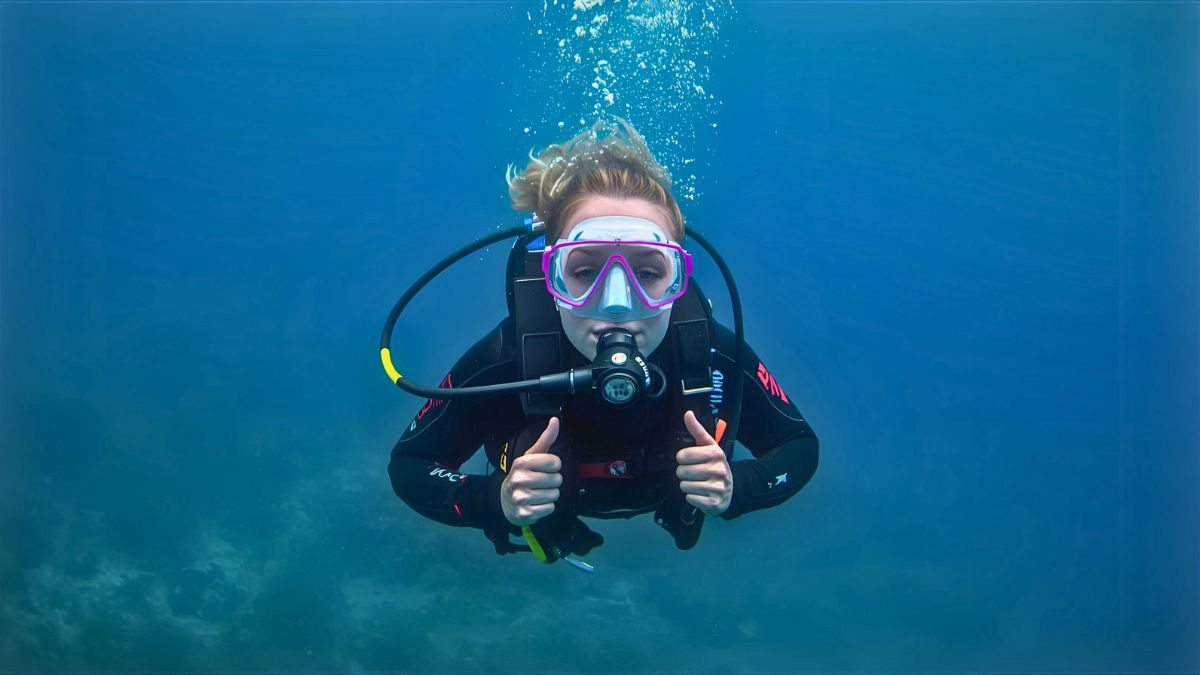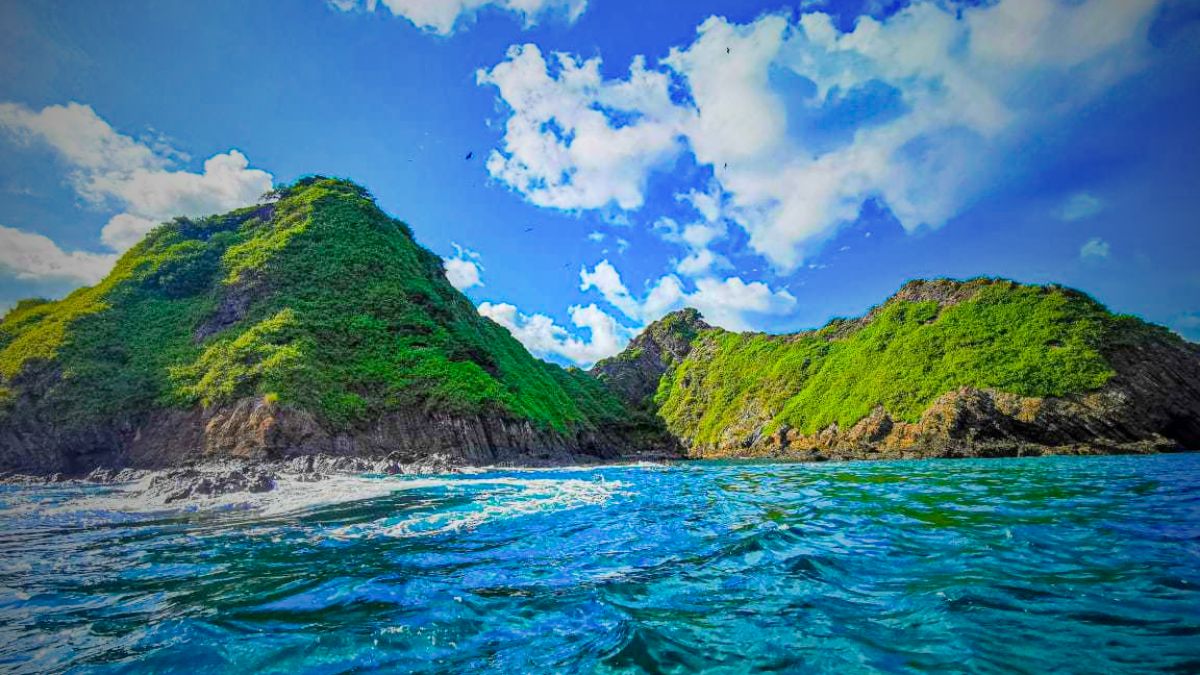
If you’re searching for the best cheap underwater cameras that actually perform well on real dives, you’ve come to the right place. After 10 years as a diving instructor and five consecutive PADI Elite Instructor awards, I’ve tested dozens of budget underwater cameras with students and clients in Costa Rica’s Pacific waters.
Here’s what I’ve learned: you don’t need to drop $3,000 on a professional camera rig to capture stunning underwater shots. Some of my students’ favorite photos came from $200 action cameras because they actually brought them diving instead of leaving expensive gear at home out of fear.
In this guide, I’ll share my hands-on experience with ten affordable underwater cameras that deliver real value. These aren’t just specs copied from manufacturer websites. Each camera on this list has been tested at dive sites like Caño Island and Marino Ballena National Park, in conditions ranging from crystal-clear shallow reefs to deeper dives with limited visibility.
Whether you’re a beginner diver wanting to document your first underwater adventures or an experienced diver looking for a backup camera that won’t break the bank, this guide will help you choose the right gear.
Quick Comparison: Best Cheap Underwater Cameras
| Camera | Price | Depth Rating | Best For |
|---|---|---|---|
| GoPro HERO11 Black | $$$ | 10m (33ft) stock / 60m with housing | Overall best value |
| AKASO Brave 7 LE | $ | 40m (131ft) with housing | Tightest budget |
| Olympus Tough TG-6 | $$$$ | 15m (50ft) stock | Macro photography |
| DJI Osmo Action 4 | $$$ | 18m (59ft) stock | Best for video |
| SeaLife Micro 3.0 | $$$$ | 60m (200ft) stock | Serious diving |
| Insta360 X3 | $$$ | 10m (33ft) stock | Creative 360° shots |
| AKASO EK7000 | $ | 30m (100ft) with housing | First-time buyers |
| SeaLife SportDiver | $$ | 40m (130ft) | Smartphone solution |
Price Guide: $ = Under $150 | $$ = $150-300 | $$$ = $300-500 | $$$$ = $500-700
8 Best Cheap Underwater Cameras – Detailed Reviews
What Makes a Good Budget Underwater Camera?
Before we dive into individual reviews, let’s talk about what actually matters when choosing an affordable underwater camera. In my experience teaching underwater photography, I’ve found that three factors determine whether a camera will deliver great shots or frustrate you on every dive.
First, depth rating. This isn’t just about how deep you can take it. A higher depth rating usually means better build quality and more confidence that your camera will survive the pressure and potential bumps against rocks or boat ladders.
Second, ease of use underwater. Can you operate it with gloves on? Are the buttons large enough to press when your fingers are cold? Can you see the screen in bright tropical sunlight at the surface?
Third, image quality in real diving conditions. Many cameras look great in manufacturer tests but struggle in the blue-green light at depth, where reds disappear and everything looks washed out. The cameras I recommend here handle these challenges well for their price point.
GoPro HERO11 Black – Best Overall Budget Underwater Camera
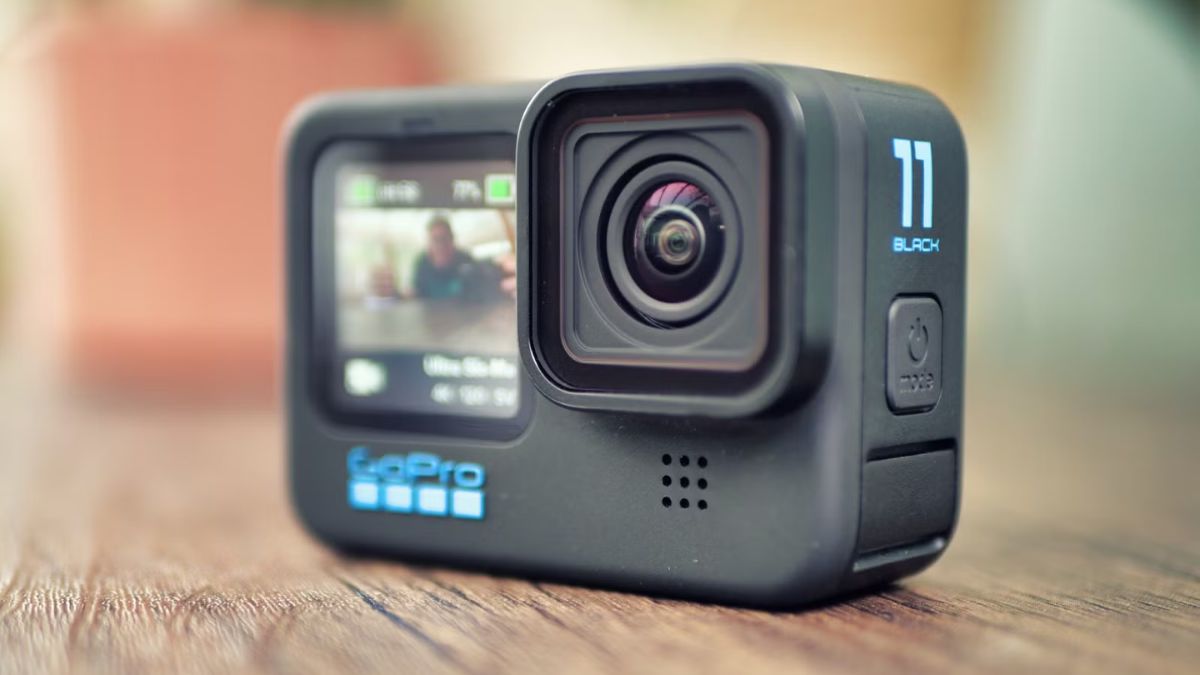
GoPro Camera Overview
The GoPro HERO11 Black is my top pick for the best cheap underwater camera because it delivers professional-looking results at a fraction of the cost of high-end systems. With its new larger sensor and incredible video stabilization, this camera punches way above its weight class.
I’ve watched students capture footage at Caño Island that rivals what I shot with cameras costing three times as much. The HERO11’s ability to shoot 5.3K video at 60fps means you can pull crystal-clear still frames from your video footage if you miss a shot.
GoPro HERO11 Key Specifications
- Depth Rating: 10m (33ft) without housing, 60m (196ft) with dive housing
- Sensor: 27MP with 8:7 aspect ratio
- Video: 5.3K60, 4K120, 2.7K240
- Still Photos: 27MP with improved low-light performance
- Battery Life: Approximately 90 minutes of 4K30 recording
- Price Range: $$$
What I Like
The image stabilization on the HERO11 is phenomenal. When you’re diving in current at sites like Caño Island, where surge can make it hard to hold steady, the HyperSmooth 5.0 technology makes your footage look buttery smooth. I’ve had students shoot while being jostled by waves, and the resulting video looks like it was shot on a gimbal.
The larger sensor captures noticeably more detail in lower light conditions compared to previous GoPro models. At 30 meters depth, where natural light is limited, the HERO11 still produces vibrant, colorful footage without looking washed out or grainy.
The new 8:7 aspect ratio is a game-changer. You can shoot once and crop for vertical social media posts or horizontal YouTube videos without losing quality. My students love this feature because they don’t have to decide their final format while underwater.
Color correction is excellent straight out of the camera. While I still recommend a red filter for depths beyond 15 meters, the HERO11’s processing does a remarkable job maintaining natural colors in tropical Pacific waters.
What Could Be Better
The stock 10-meter depth rating without housing is limiting for most scuba divers. You’ll need to purchase the separate dive housing (adds about $50-60) to safely take it on most recreational dives. This is an extra cost to factor into your budget.
Battery life can be a concern on dive days with multiple tanks. The HERO11 drains batteries faster than older models, especially when shooting in higher resolutions. I always recommend bringing at least three batteries for a two-tank dive day.
The touchscreen interface becomes less responsive underwater, even through the dive housing. You’ll want to set your preferred shooting mode before descending and use the physical buttons for most operations once you’re below the surface.
AKASO Brave 7 LE – Best Camera Under $150
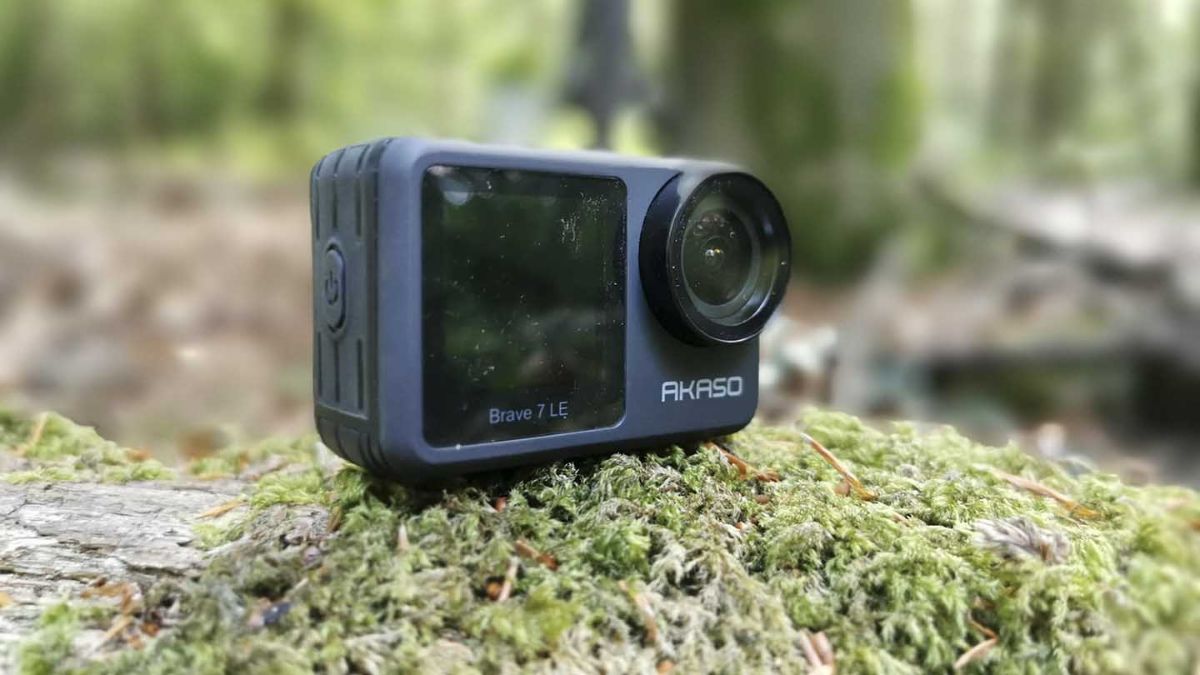
AKASO Camera Overview
If you’re on the tightest possible budget but still want 4K video and real waterproof protection, the AKASO Brave 7 LE delivers surprising quality for around $100-130. This camera isn’t trying to be a GoPro, but it does about 80% of what the HERO11 does for 25% of the price.
I recommend this camera to students who are uncertain whether they’ll stick with underwater photography. It’s affordable enough that if you only use it once or twice, you won’t feel bad, but capable enough that if you fall in love with it, you can create impressive content.
AKASO Brave 7 LE Key Specifications
- Depth Rating: 40m (131ft) with included waterproof housing
- Sensor: 20MP Sony sensor
- Video: 4K30, 2.7K30, 1080p60
- Still Photos: 20MP
- Battery Life: Approximately 90 minutes per battery (two batteries included)
- Price Range: $
What I Like
The value proposition here is incredible. For roughly $130, you get the camera body, two rechargeable batteries, a waterproof case rated to 40 meters, and a pile of mounts and accessories. That’s everything you need to start shooting underwater right out of the box.
The 40-meter depth rating with the included housing is better than what GoPro offers without their separate dive housing. For recreational diving, which rarely exceeds 30 meters, this gives you plenty of safety margin.
Image quality in good lighting conditions is genuinely impressive. During shallow dives at Marino Ballena’s coral gardens (8-12 meters), where sunlight is abundant, the Brave 7 LE produces footage that’s hard to distinguish from more expensive cameras. Colors are vibrant, and detail is sharp.
What Could Be Better
Low-light performance is the biggest compromise. Below 20 meters or in cloudy water conditions, footage becomes noticeably grainier compared to premium cameras. The sensor just doesn’t capture enough light in challenging conditions.
Electronic image stabilization is present but not as sophisticated as GoPro’s HyperSmooth. Your footage will look shakier in current or surge, which can be distracting when watching later.
The touchscreen interface feels less refined. Menus are functional but not intuitive, and the screen itself is harder to see in bright sunlight at the surface. Most of my students set it to video mode before diving and leave it there for the entire dive.
Did you know? The Pacific waters around Costa Rica are home to over 25 species of whales and dolphins, making underwater cameras essential for documenting these incredible encounters. Many of our most important conservation efforts started with photographs and videos captured by recreational divers.
Olympus Tough TG-6 – Best for Macro Photography
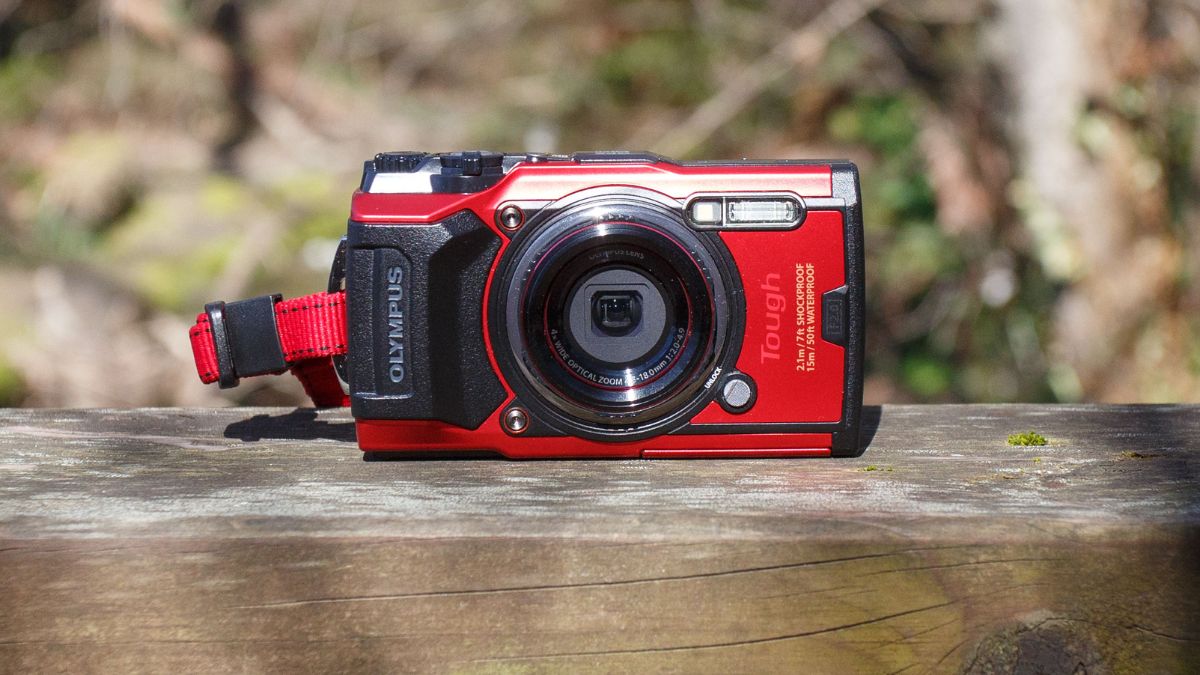
Olympus Camera Overview
The Olympus Tough TG-6 is the only true compact camera on this list, and it’s a macro photography specialist. While action cameras excel at wide-angle reef scenes and swimming marine life, the TG-6 lets you capture the tiny, colorful details that make tropical diving so magical.
This camera has a cult following among underwater photographers, and for good reason. The microscope mode gets you so close to tiny subjects that you can photograph individual coral polyps, juvenile fish, and nudibranchs in stunning detail that’s simply impossible with action cameras.
Olympus Tough TG-6 Key Specifications
- Depth Rating: 15m (50ft) without housing, 45m (147ft) with PT-059 housing
- Sensor: 12MP 1/2.3-inch BSI CMOS
- Lens: 25-100mm equivalent, f/2.0-4.9
- Video: 4K30, 1080p120
- Still Photos: 12MP RAW + JPEG
- Zoom: 4x optical zoom
- Price Range: $$$$
What I Like
The macro capabilities are unmatched in this price range. The Microscope mode focuses as close as 1cm from the lens, revealing intricate details invisible to the naked eye. I’ve photographed tiny goby fish, Christmas tree worms, and nudibranchs with incredible clarity that makes people think I was using an expensive DSLR with a macro lens.
The built-in LED ring lights around the lens illuminate close subjects beautifully. When shooting macro, proper lighting is critical, and having lights built right into the camera eliminates the need for external strobes for many shots. This keeps your setup simple and reduces bulk.
The 4x optical zoom is a significant advantage. With action cameras, you’re stuck at one ultra-wide focal length. The TG-6 lets you zoom in on shy fish from a distance or compress perspective for more creative compositions. This flexibility makes it feel more like a real camera than a simple point-and-shoot.
RAW file support means serious photographers can edit their images extensively in Lightroom or Photoshop. Most cheap underwater cameras only shoot JPEG, which limits how much you can adjust colors and recover details in post-processing.
What Could Be Better
The price puts it at the upper end of “cheap” cameras. At around $500-550 for the camera body alone, it’s a significant investment compared to action cameras. Add the PT-059 underwater housing (about $300 more) if you want to exceed the 15-meter depth rating, and you’re approaching $800 total.
Video capabilities trail behind modern action cameras. While 4K30 video is respectable, there’s no 4K60, no high frame rate slow-motion options, and stabilization isn’t as effective as what GoPro or DJI offer. This is primarily a stills camera that also shoots decent video.
The user interface feels dated compared to touchscreen action cameras. You navigate menus with physical buttons, which works fine above water but can be cumbersome when wearing gloves underwater.
DJI Osmo Action 4 – Best for Video-Focused Divers
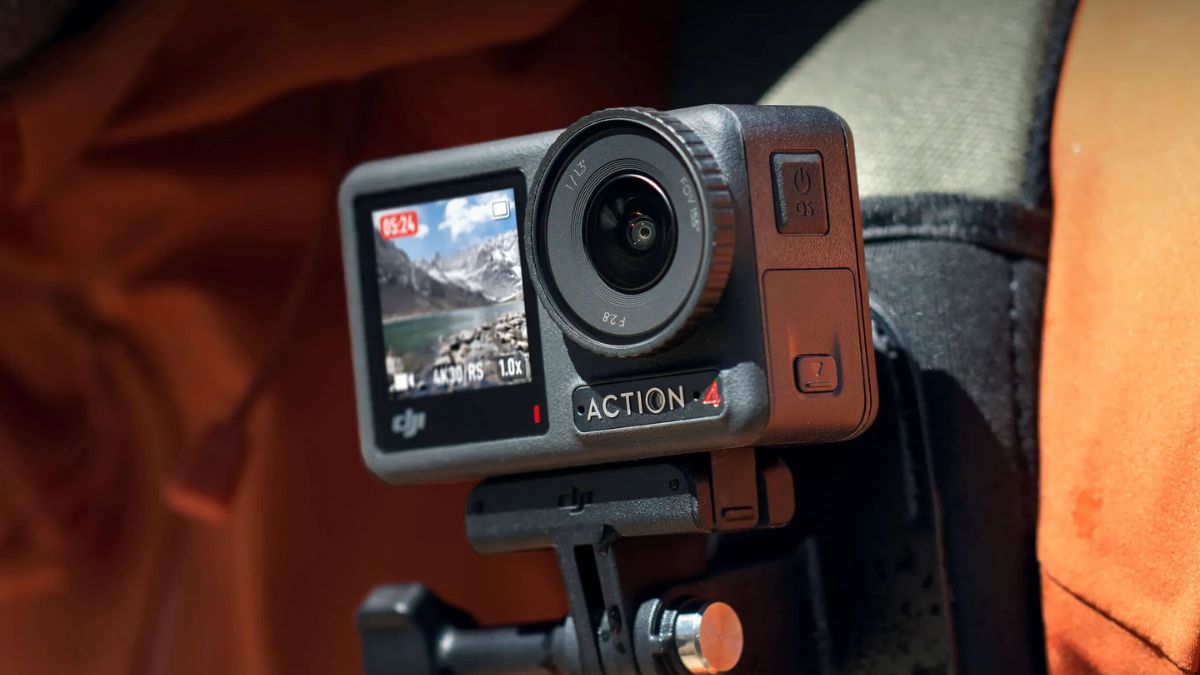
DJI Camera Overview
The DJI Osmo Action 4 is GoPro’s most serious competitor, and in many ways, it surpasses the HERO11 for video-centric divers. With dual touchscreens, incredible low-light performance, and 4K120 recording, this camera is built for creating cinematic underwater footage.
What impresses me most is how DJI focused on solving real problems underwater videographers face. The front screen lets you frame selfie-style shots perfectly, the battery lasts noticeably longer than GoPro’s, and the low-light capabilities mean you can shoot in conditions where other action cameras struggle.
DJI Osmo Action 4 Key Specifications
- Depth Rating: 18m (59ft) without housing, 60m (196ft) with waterproof case
- Sensor: 1/1.3-inch CMOS (larger than most action cams)
- Video: 4K120, 2.7K240, 1080p240
- Still Photos: 10MP (extracted from video)
- Battery Life: 160 minutes at 1080p30
- Price Range: $$$
What I Like
The larger sensor makes a dramatic difference in image quality, especially in deeper water or overcast conditions. At 25-30 meters depth, where light is scarce and colors wash out on most cameras, the Action 4 still produces vibrant, detailed footage. This is the camera I grab when I know I’ll be diving deep or in murky water.
Battery life is exceptional. On a two-tank dive day, I can usually shoot the entire day on two batteries with one as backup. With GoPros, I’m swapping batteries constantly and sometimes run out before the second dive ends. For dive travel where charging opportunities are limited, this extended battery life is invaluable.
The dual touchscreens are brilliantly executed. The front screen is bright enough to see in direct sunlight and shows exactly what you’re filming. This makes it dramatically easier to frame shots of yourself or vlog-style talking segments.
What Could Be Better
Still photo quality is mediocre. The 10MP resolution is lower than competitors, and since photos are essentially video frame grabs, they lack the sharpness and detail of cameras designed primarily for stills. If photography is equally important as video, the GoPro or Olympus are better choices.
The stock 18-meter depth rating is the shallowest on this list. For recreational diving beyond 18 meters, you must purchase DJI’s waterproof case (adds about $60-80 to your budget). The extra bulk of the case also eliminates the convenient magnetic mounting system.
File sizes are enormous. A 10-minute 4K120 video can easily exceed 15GB. You’ll need fast, large-capacity memory cards and substantial storage space on your computer. I recommend at least a 256GB card for serious video recording.
SeaLife Micro 3.0 – Best for Serious Divers
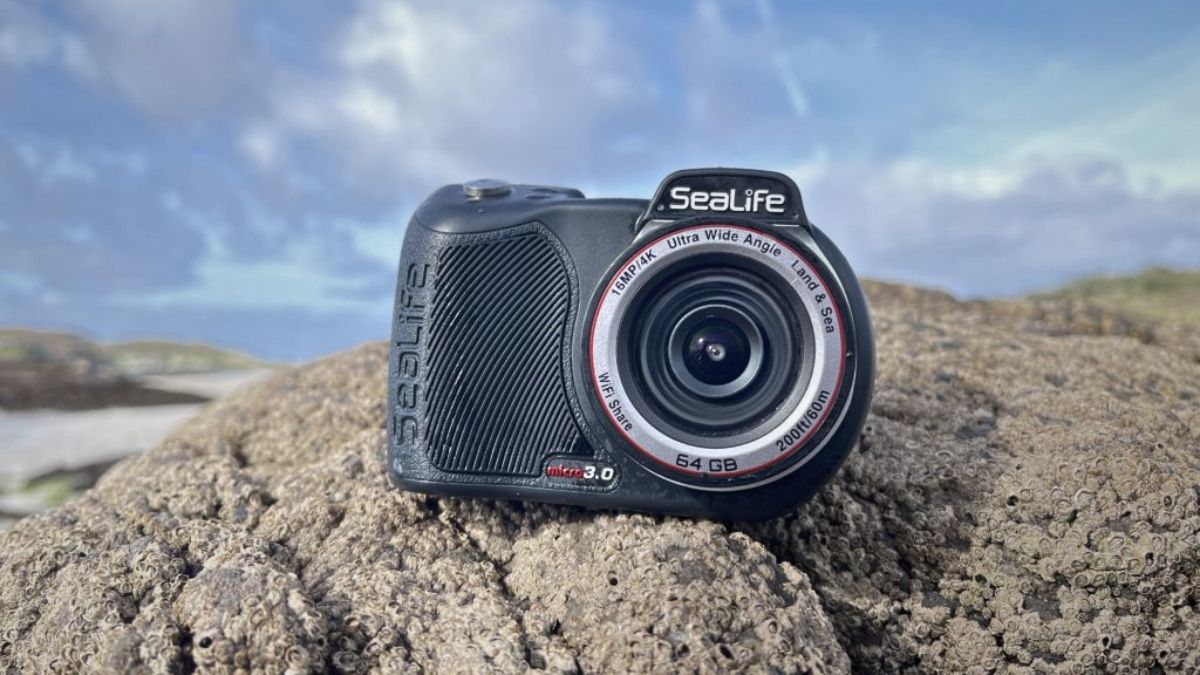
SeaLife Camera Overview
The SeaLife Micro 3.0 occupies a unique space between cheap action cameras and professional underwater systems. It’s designed specifically for diving – not mountain biking, skydiving, or other action sports – which means every feature is optimized for underwater use.
This is the camera I recommend to students who’ve been diving for a while, know they love underwater photography, and are ready to invest in purpose-built equipment. The 60-meter depth rating without additional housing, dedicated underwater color modes, and compatibility with professional lighting systems make it a significant step up.
SeaLife Micro 3.0 Key Specifications
- Depth Rating: 60m (200ft) without housing
- Sensor: 16MP Sony IMX179
- Lens: Fixed 19mm equivalent, f/2.8
- Video: 4K30, 2.7K60, 1080p120
- Still Photos: 16MP RAW + JPEG
- Internal Storage: 64GB built-in
- Price Range: $$$$
What I Like
The 60-meter depth rating without needing a separate housing is exceptional. The camera is permanently sealed, which eliminates the most common cause of underwater camera failures – flooded housings from user error. I’ve never had to worry about O-rings, hair in seals, or whether I closed the housing properly.
Underwater color correction modes are truly effective. The Micro 3.0 offers multiple preset modes for different depths and water conditions. In Costa Rica’s Pacific waters, which can range from gin-clear to plankton-rich green, having these modes makes a noticeable difference in color accuracy without needing external filters.
The large, easy-to-operate buttons work perfectly with thick gloves. During cold-water dives or when my hands are numb from multiple dives, I can still easily access all camera functions. This might seem minor, but when you’re 30 meters down trying to adjust settings, big buttons are a blessing.
Compatibility with SeaLife’s external lighting is where this camera really shines. You can add the Sea Dragon 2500 lights for incredible lighting in deeper water or for macro photography. The synchronized connection ensures the lights turn on when you press the shutter.
What Could Be Better
The fixed 19mm-equivalent lens limits creative options. You’re locked into an ultra-wide perspective, which is great for reef scenes but less ideal for portraits of marine life or situations where you want to fill the frame with a subject. No zoom capability means you must physically get closer to your subject.
The small screen and lower resolution display make it hard to review images underwater or in bright sunlight. At 2.4 inches with only 260k dots, it’s functional but not impressive. You often can’t tell if a shot is perfectly sharp until you review it on a computer later.
Price approaches the upper limit of “cheap” cameras. At around $600-650 for the camera body alone, it’s a serious investment. Adding external lights and mounting accessories can push the total system cost over $1,000, which starts competing with entry-level mirrorless cameras with underwater housings.
Fun fact: Caño Island, one of Costa Rica’s premier dive destinations, is a biological reserve where photography helps scientists track individual whale sharks and manta rays through unique spot patterns. Your underwater photos can contribute to real conservation research!
Insta360 X3 – Best for Creative 360° Content
Insta Camera Overview
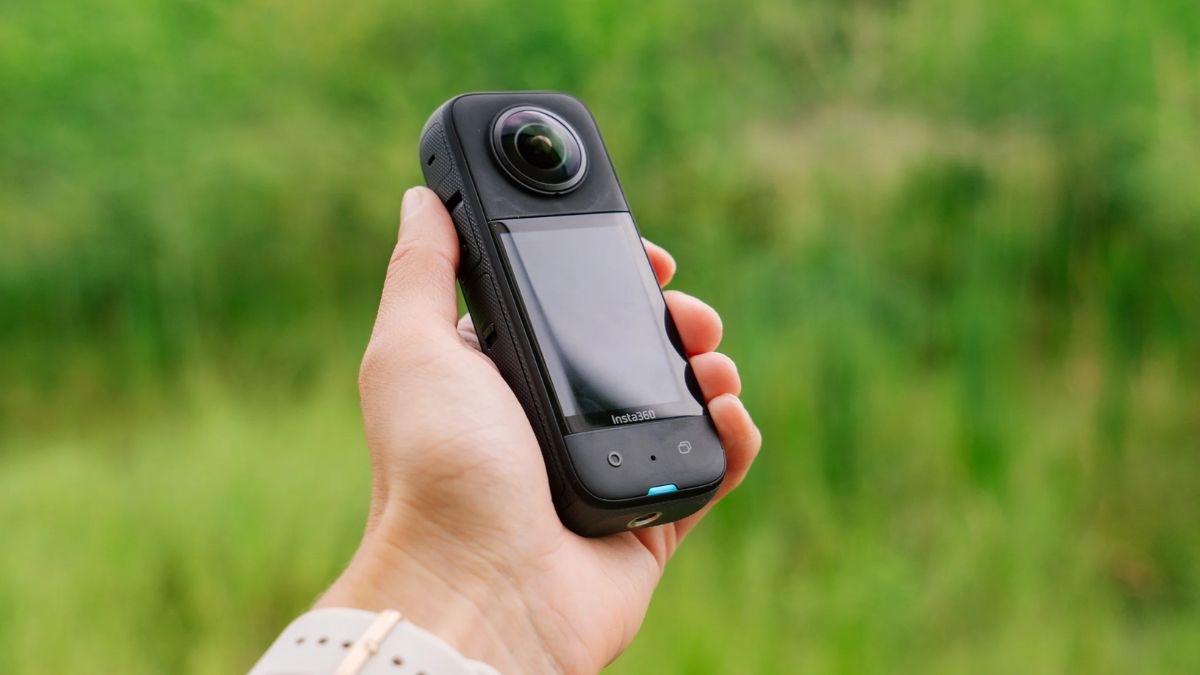
The Insta360 X3 is completely different from every other camera on this list. Instead of pointing in one direction, it captures everything around you simultaneously in 360 degrees. This creates mind-bending content that lets viewers look in any direction during playback, and the “invisible selfie stick” effect produces footage that looks like someone else filmed you.
This camera isn’t for everyone, but for creative divers who want to produce unique, engaging content for social media or personal projects, the X3 offers capabilities nothing else can match.
Insta360 X3 Key Specifications
- Depth Rating: 10m (33ft) without housing, 50m (164ft) with dive case
- Sensor: Dual 1/2-inch 48MP sensors
- Video: 5.7K360 at 30fps, 4K single-lens mode
- Still Photos: 72MP 360° photos
- Battery Life: Approximately 80 minutes
- Price Range: $$$
What I Like
The invisible selfie stick effect is pure magic. When you mount the X3 on an extended selfie stick and film yourself swimming, the editing software automatically removes the stick from the footage. The result looks like a drone is following you underwater, capturing angles that would be impossible otherwise.
360-degree video means you never miss the shot. A sea turtle swims behind you while you’re focusing forward? In regular video, you’d miss it entirely. With the X3, it’s captured, and you can reframe the shot in editing to follow the turtle.
The reframing capabilities in editing software give you incredible creative control. From a single 360° video clip, you can create multiple versions – a wide-angle overview, a close-up on specific action, a tiny planet effect, or a traditional flat perspective.
What Could Be Better
The learning curve is significant. Understanding how to shoot, stitch, and edit 360° footage requires patience and practice. Students often struggle initially with how to frame shots (or rather, not worry about framing) and how to use the editing software effectively.
File sizes are absolutely massive. A 10-minute 5.7K 360° video can exceed 20GB. You need a powerful computer for smooth editing, fast memory cards (minimum V30 speed class), and substantial storage space.
Image quality in each direction is lower than dedicated single-lens cameras. While the overall 5.7K resolution sounds impressive, it’s spread across 360 degrees, so any single direction has less detail than a 5K GoPro video pointed that direction.
AKASO EK7000 – Best First Underwater Camera
AKASO Camera Overview
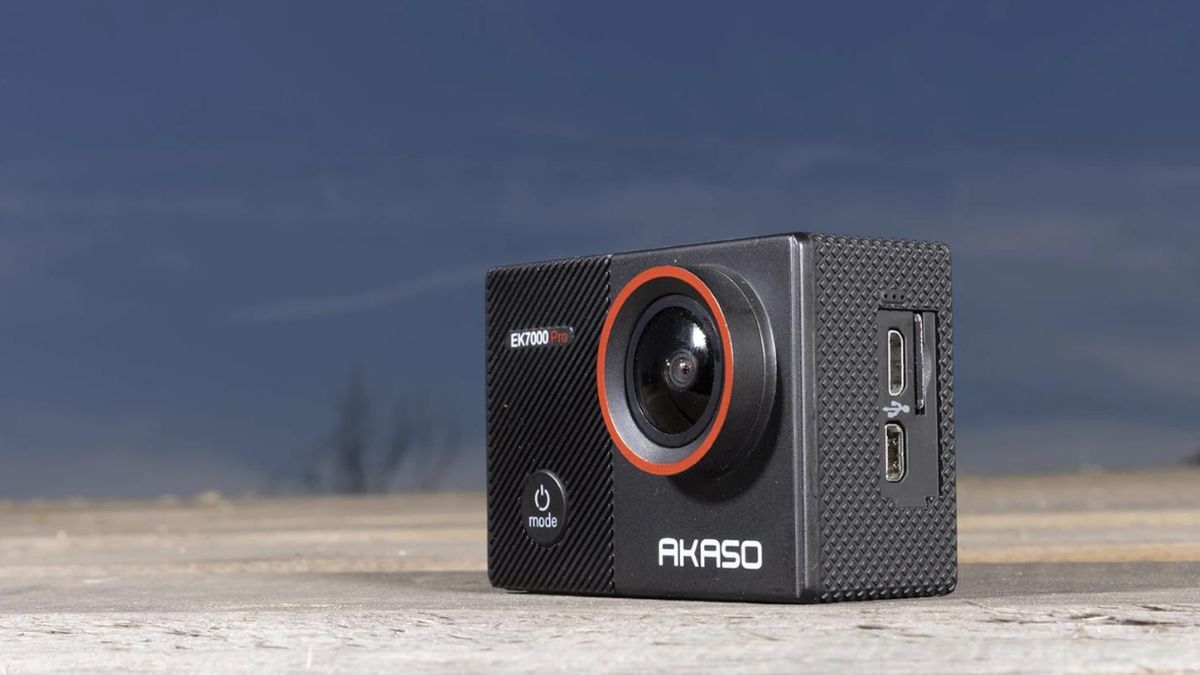
The AKASO EK7000 is the cheapest camera on this list, typically selling for around $70-100. At this price point, expectations must be realistic – this isn’t competing with GoPro in image quality or features. But for first-time buyers, travelers wanting a throwaway camera they won’t worry about losing, or anyone wanting the absolute lowest entry point to underwater photography, it delivers surprising value.
AKASO EK7000 Key Specifications
- Depth Rating: 30m (100ft) with included housing
- Sensor: 12MP
- Video: 4K30, 2.7K30, 1080p60
- Still Photos: 12MP
- Battery Life: Approximately 90 minutes (two batteries included)
- Price Range: $
What I Like
The price is unbeatable. For roughly $80, you get everything needed to start shooting underwater immediately – camera, waterproof housing, two batteries, charger, and multiple mounts. This complete package approach means there are no surprise additional costs before you can use it.
4K video at this price point is impressive. While the quality doesn’t match premium cameras, it’s still 4K resolution, which looks good on social media and provides flexibility in editing.
The 30-meter depth rating with included housing covers most recreational diving. Unless you’re doing technical diving or visiting extreme sites, you’ll never approach this limit.
What Could Be Better
Image quality is noticeably inferior to every other camera on this list. Colors are less vibrant, detail is softer, and low-light performance is poor. In good conditions – shallow water, bright sun, clear visibility – it does fine. In challenging conditions, limitations become very apparent.
Build quality feels cheap because it is cheap. Buttons are mushy, the screen is dim and low-resolution, and the housing feels flimsy compared to premium options.
Electronic image stabilization is primitive. Footage looks significantly shakier than modern action cameras with advanced stabilization.
SeaLife SportDiver – Best Smartphone Housing Solution
SeaLife Camera Overview
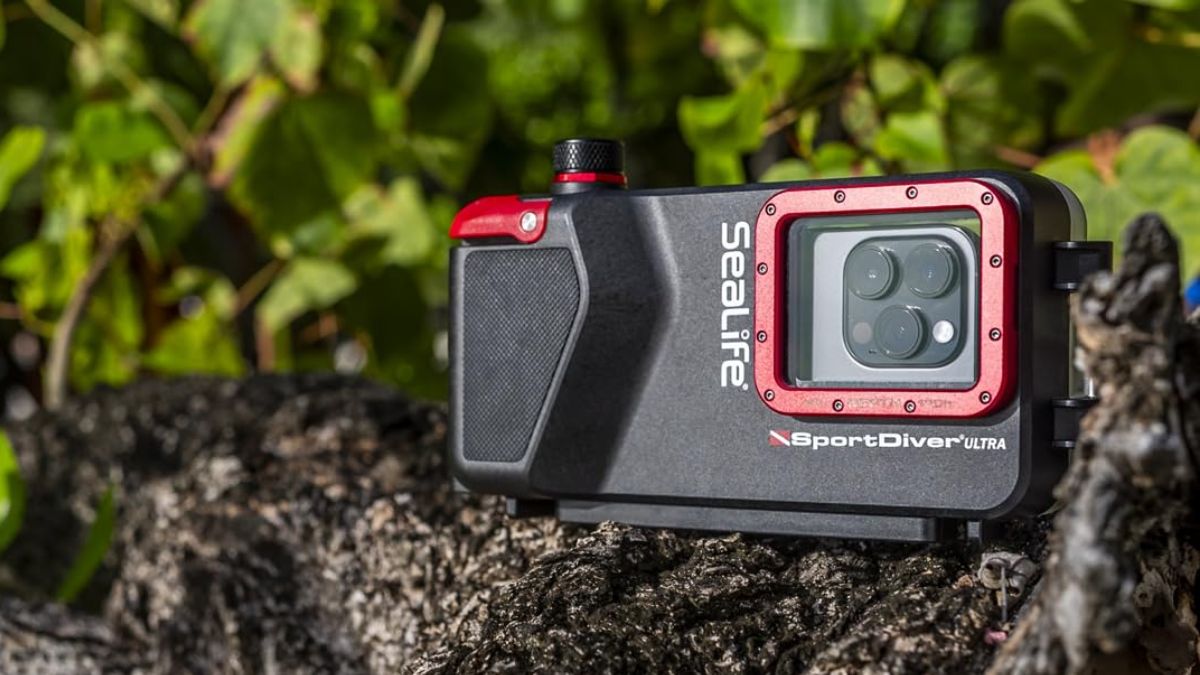
The SeaLife SportDiver takes a completely different approach to underwater cameras – instead of being a standalone camera, it’s a waterproof housing for your smartphone. Your iPhone or Android phone becomes a capable underwater camera system when protected by this ingenious housing.
This solution makes particular sense if you already own a flagship smartphone with excellent cameras. Why carry a separate device when the supercomputer in your pocket can capture stunning photos and 4K video?
SeaLife SportDiver Key Specifications
- Depth Rating: 40m (130ft)
- Compatible Devices: Most iPhone and Android smartphones
- Camera Specs: Depends on your phone (iPhone 14/15 Pro: 48MP main camera, 4K60 video)
- Screen: Your phone’s screen, protected by clear housing
- Price Range: $$
What I Like
Using your existing phone means you’re working with familiar technology. There’s no learning curve for a new interface, you already know how to use every feature, and all your favorite photography apps are available underwater.
Your phone’s camera is likely better than cheap action cameras. Flagship smartphones have larger sensors, multiple lenses (wide, ultrawide, telephoto), excellent computational photography, and powerful editing built in.
The vacuum seal system is brilliant. Before each dive, you use the included pump to create a vacuum inside the housing. A built-in moisture alarm sounds if the seal is compromised. This gives you confidence the housing is properly sealed before you enter the water.
What Could Be Better
The housing is bulky and expensive relative to action cameras. At around $250-300 just for the housing, you’re investing significantly in protecting a device you already own.
Your phone’s battery life becomes a critical limiting factor. Filming 4K video drains batteries quickly, and you can’t easily swap batteries like with dedicated cameras. On a two-tank dive day, you might run your phone’s battery down to worrying levels.
Using your phone underwater creates risk to an expensive device. Even with the housing’s safety features, there’s psychological stress knowing your $1,000+ phone is underwater.
Common Mistakes to Avoid
Don’t Ignore Depth Ratings
I learned this lesson the hard way through a student’s expensive mistake. She bought a waterproof camera rated to 10 meters, figured “close enough” for her 15-meter certification dive, and surfaced with a flooded camera. The manufacturer’s depth rating isn’t a suggestion – it’s a hard limit.
Always choose a camera rated deeper than you plan to dive. If you’re certified to 18 meters, get a camera rated to at least 30 meters. This safety margin accounts for waves pushing you deeper momentarily, gauge inaccuracies, and gives you room to progress in your diving.
Cheap Doesn’t Mean Disposable
Budget cameras still require proper care. After every saltwater dive, rinse your camera thoroughly with fresh water. Saltwater crystals corrode seals, buttons, and housings over time. I’ve seen cameras fail after just a few dives because owners skipped this basic maintenance.
Dry your camera completely before opening any compartments or removing housings. Water trapped in crevices can leak inside when you open battery doors or memory card slots.
Memory Card Speed Matters
My student bought a cheap 128GB card for $10 and couldn’t understand why his 4K video kept stuttering and stopping. The card couldn’t write data fast enough. He had to reshoot his entire dive vacation footage after buying a proper V30-rated card.
Don’t cheap out on memory cards. Spend $20-25 on a quality SanDisk or Samsung card with appropriate speed rating. The $10-15 you save isn’t worth losing once-in-a-lifetime footage.
Frequently Asked Questions
Can I use my smartphone underwater?
Yes, with proper housing like the SeaLife SportDiver. Modern flagship smartphones (iPhone 13+, Samsung Galaxy S21+) have excellent cameras that rival action cameras. The housing protects your phone to 40 meters depth while maintaining full camera functionality.
However, consider the risk – if the housing fails, you lose your phone, not just a dedicated camera. Battery life is also limited since you can’t swap phone batteries mid-dive day.
What’s the difference between waterproof and water-resistant?
Waterproof means submersible to a specific depth rating. These cameras can be fully underwater for extended periods. Examples: GoPro in dive housing (60m), Olympus TG-6 (15m).
Water-resistant means splash-proof but not submersible. These cameras survive rain or splashes but will flood if dunked underwater. Never dive with water-resistant cameras – only fully waterproof models.
Do I need a red filter for my underwater camera?
It depends on depth and your camera’s color correction capabilities. Below 15 meters, reds disappear naturally as water absorbs that wavelength. Red filters compensate by blocking blue-green light, restoring color balance.
Cameras with built-in underwater modes (Olympus TG-6, SeaLife Micro 3.0) often don’t need filters – their software corrects colors automatically. Action cameras without these modes benefit significantly from red filters at depth.
How deep can cheap underwater cameras go?
Budget cameras range from 10m (stock GoPro) to 60m (SeaLife Micro 3.0). Most recreational diving stays within 18-30 meters, so cameras rated to 30-40 meters provide adequate safety margin.
For technical diving beyond 40 meters, invest in cameras specifically designed for deep diving – the SeaLife Micro 3.0 is your only option under $700.
Can budget cameras shoot RAW format?
Some can. The Olympus TG-6 and SeaLife Micro 3.0 shoot RAW files, giving you maximum editing flexibility. Most action cameras (GoPro, DJI, AKASO) shoot only JPEG/HEVC, which limits post-processing capabilities.
If you’re serious about editing photos extensively, RAW capability is valuable. For casual shooters sharing directly to social media, JPEG is fine.
What’s the best cheap camera for macro underwater photography?
The Olympus Tough TG-6, hands down. Its microscope mode focuses as close as 1cm from the lens, revealing incredible detail in tiny subjects. Built-in macro LEDs provide lighting. No other camera under $1,000 comes close for macro work.
Action cameras can’t focus close enough for true macro photography – they’re designed for wide-angle scenes.
Are GoPro knockoffs worth buying?
Sometimes yes, sometimes no. The AKASO Brave 7 LE delivers 80% of GoPro performance for 25% of the price – excellent value for beginners. However, the cheapest knockoffs ($40-60 range) produce poor image quality and often fail quickly.
Stick with established budget brands like AKASO that have consistent reviews. Avoid anonymous Chinese brands with suspiciously perfect 5-star ratings.
How do I prevent fogging inside my camera housing?
Fogging occurs when warm, humid air inside the housing contacts cold water outside, causing condensation. Prevention strategies:
- Assemble your housing in air-conditioned rooms, not humid outdoor air
- Insert silica gel packets inside the housing
- Avoid breathing into the housing while assembling it
- Let the camera cool to water temperature before diving
If fogging occurs underwater, there’s no fix until you surface and re-seal the housing in drier conditions.
What memory card speed do I need for 4K underwater video?
For 4K30 video: V30 speed class (30MB/s minimum write speed)
For 4K60 video: V60 speed class (60MB/s minimum write speed)
Cards slower than these will cause stuttering, dropped frames, or recording failures. I recommend SanDisk Extreme or Samsung EVO Plus cards – proven reliable in thousands of dives.
Did you know? The Costa Rican government requires all dive operators to maintain detailed dive logs, including depth and time data. Underwater cameras with built-in dive computer functions can serve as automatic backup logging systems, improving diver safety and regulatory compliance.
Final Recommendations
Here’s the truth about cheap underwater cameras: you don’t need to spend thousands of dollars to capture stunning underwater memories. Technology has advanced so dramatically that a $150 action camera today shoots better video than $2,000 professional setups from a decade ago.
Start with something affordable. Learn composition, lighting, and buoyancy control. Upgrade later if you fall in love with underwater photography. Many of my students still use their first budget camera years later because it meets all their needs perfectly.
The best camera is the one you actually bring diving. A $100 camera in your BCD pocket beats a $2,000 camera left at home because you’re afraid to use it. Choose something in your budget, learn to use it well, and start capturing the incredible underwater world.
See you underwater.
Sources and References
This guide is based on hands-on testing experience with underwater cameras across hundreds of dives in Costa Rica and information verified from the following authoritative sources:
- GoPro Official Website – Technical specifications and features for HERO11 Black action camera
- AKASO Technology – Official product information for Brave 7 LE and EK7000 action cameras
- Olympus Tough Series – Technical documentation for TG-6 rugged compact camera
- DJI Osmo Action 4 – Product specifications and underwater capabilities
- SeaLife Underwater Cameras – Official information for Micro 3.0 camera and SportDiver housing
- Insta360 X3 – Technical specifications for 360-degree underwater camera